u/lukmly013 💾 (lemmy.sdf.org)

I like computers, trains, space, radio-related everything and a bunch of other tech related stuff. User of GNU+Linux.
I am also dumb and worthless.
My laptop is ThinkPad L390y running Arch.
I own RTL-SDRv3 and RSP1 clone.

SDF Unix shell username: user224

  • 11 Posts
  • 17 Comments
Joined 3 years ago
cake
Cake day: June 17th, 2023

help-circle
  • Environment is basically any. I used to read on my touchscreen 2-in-1 ThinkPad using Arianna from KDE.

    But I stopped because of software annoyances.
    At some point, native Arianna package broke on Arch. It’s fixed now, but the UI has changed. In the past, while in portrait mode it also shown 2 columns, just slimmer ones (I think that’s version 24, I am not currently on that laptop). Now it only shows 1 page in the middle of the screen.
    I also have an old Flatpak version installed which still has the older UI (I believe the older native package didn’t work with current dependencies), but simply the knowledge of that thing taking up in total 4GiB (as it’s the only Flatpak I have) while the native version is 1.6MiB bothers me enough not to use it.


  • IDE CD-ROM

    Yeah. I have 2, so I want to use them. The dangerous thingy is an IDE to SATA adapter. If I manage to find DVD-RW drive with front audio and a play button, I’d like to use that in an external 5.25" drive enclosure I have.
    The goal: External DVD drive that can also work as a simple standalone CD player.

    All I have now is 2 CD-RW drives like that.
    And one of them (BENQ 4816A) doesn’t seem to work with Linux for some reason.
    Sample from dmesg:

    [303803.821623] usb 1-4: new high-speed USB device number 62 using xhci_hcd
    [303803.953712] usb 1-4: New USB device found, idVendor=152d, idProduct=2338, bcdDevice= 1.00
    [303803.953735] usb 1-4: New USB device strings: Mfr=1, Product=2, SerialNumber=5
    [303803.953745] usb 1-4: Product: USB to ATA/ATAPI bridge
    [303803.953752] usb 1-4: Manufacturer: JMicron
    [303803.953758] usb 1-4: SerialNumber: 622222222222
    [303803.956959] usb-storage 1-4:1.0: USB Mass Storage device detected
    [303803.957727] scsi host0: usb-storage 1-4:1.0
    [303804.972734] scsi 0:0:0:0: CD-ROM            ATAPI    CD-R/RW 48X16    9.GH PQ: 0 ANSI: 0 CCS
    [303809.784518] sr 0:0:0:0: [sr0] scsi3-mmc drive: 48x/48x writer cd/rw xa/form2 cdda tray
    [303818.737158] usb 1-4: reset high-speed USB device number 62 using xhci_hcd
    [303826.573935] usb 1-4: reset high-speed USB device number 62 using xhci_hcd
    [303838.238333] sr 0:0:0:0: Attached scsi CD-ROM sr0
    [303838.238795] sr 0:0:0:0: Attached scsi generic sg0 type 5
    [303845.622418] usb 1-4: reset high-speed USB device number 62 using xhci_hcd
    [303918.801647] usb 1-4: reset high-speed USB device number 62 using xhci_hcd
    [303936.512741] usb 1-4: reset high-speed USB device number 62 using xhci_hcd
    [303941.673166] usb 1-4: reset high-speed USB device number 62 using xhci_hcd
    [303950.281142] sr 0:0:0:0: [sr0] tag#0 FAILED Result: hostbyte=DID_OK driverbyte=DRIVER_OK cmd_age=1s
    [303950.281164] sr 0:0:0:0: [sr0] tag#0 Sense Key : Illegal Request [current] 
    [303950.281176] sr 0:0:0:0: [sr0] tag#0 Add. Sense: Illegal mode for this track
    [303950.281186] sr 0:0:0:0: [sr0] tag#0 CDB: Read(10) 28 00 00 05 5d ec 00 00 02 00
    [303950.281192] blk_print_req_error: 80 callbacks suppressed
    [303950.281198] I/O error, dev sr0, sector 1406896 op 0x0:(READ) flags 0x80700 phys_seg 1 prio class 2
    [303950.555155] sr 0:0:0:0: [sr0] tag#0 FAILED Result: hostbyte=DID_OK driverbyte=DRIVER_OK cmd_age=0s
    [303950.555173] sr 0:0:0:0: [sr0] tag#0 Sense Key : Illegal Request [current] 
    [303950.555183] sr 0:0:0:0: [sr0] tag#0 Add. Sense: Illegal mode for this track
    [303950.555192] sr 0:0:0:0: [sr0] tag#0 CDB: Read(10) 28 00 00 05 5d ec 00 00 02 00
    [303950.555197] I/O error, dev sr0, sector 1406896 op 0x0:(READ) flags 0x0 phys_seg 2 prio class 2
    [303950.555215] buffer_io_error: 72 callbacks suppressed
    [303950.555220] Buffer I/O error on dev sr0, logical block 351724, async page read
    [303950.555232] Buffer I/O error on dev sr0, logical block 351725, async page read
    

    Just keeps resetting, eventually spams a lot of errors, then goes on to start resetting again.

    VLC manages to use it for audio playback. Sort of. It can load CD info, play a track, and skip within the track. But when trying to play a different track, it again resets the drive, so it has to load the disc again, causing ~15 second gaps between tracks.

    Both digital (on PC) and analog (on drive) audio playback worked just fine on Windows 2000 after passing the USB to VirtualBox.


  • Hey.
    So, it would seem I gave you a solution that’s still more complicated than it needs to be.
    You see, I was using Debian at the time I initially played with this, but now I am testing it on Arch. When you check the man pages, you’ll see an interesting option available on Arch.

    So…
    Waypipe on Debian 13 (latest) is version 0.9.2.
    Meanwhile on Arch we have 0.11.0.

    There’s an interesting new option, --xwls.

    Use xwayland-satellite to run X clients under Wayland; for server or ssh modes. This binds X display sockets for the next available display number and sets the DISPLAY environment variable for the program run under waypipe server. This option will only work if xwayland-satellite is installed and in PATH.

    Which means that on Debian you have to:

    1. Compile xwayland-satellite
    2. Add xwayland-satellite to directory in PATH
    3. Compile new version of waypipe from source
    4. Add it to directory in PATH, at least for server

    While on Arch you just pacman -Sy xwayland-satellite waypipe.

    Then it works with waypipe --xwls ssh user@IP program.
    It seems to have been added in 0.10.6.


  • please take a look and tell me what you think

    Sorry if it seems like I do, but I in fact do not have a brain.
    I just found this tool gets the job done, and that’s it.

    I typically just use it in a pretty stupid manual way.

    local$ waypipe -c zstd=6 ssh username@IP
    remote$ export DISPLAY=:90
    remote$ ./xwayland-satellite :90 &
    remote$ xfce4-panel
    

    Even the xfce4-panel discovery was an accident.
    I was using waypipe before knowing about xwayland-satellite. I wanted to run an X program, so in the same shell I typed vncserver to, well, launch a VNC server. That invoked xfce4-session, BUT since the WAYLAND_DISPLAY was set, XFCE DE attached to waypipe rather than XTigerVNC, launching a full remote desktop over my local one.
    And out of that, xfce4-panel proves pretty useful. I can easily launch other programs using GUI, and also see widgets on that panel.

    Here’s what I mean, if that sounds confusing:
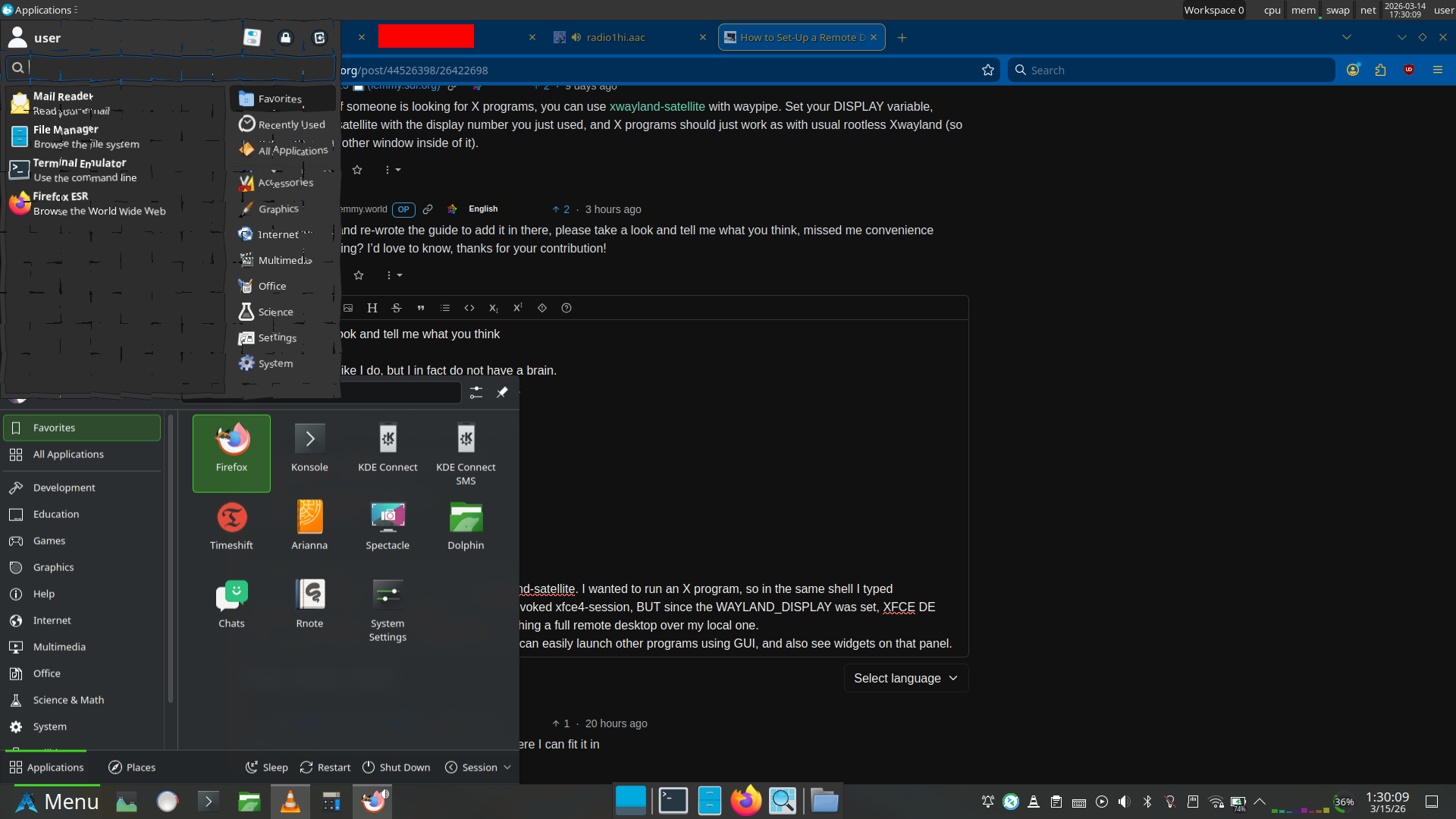
    Plasma panel (bottom) is local, XFCE panel (top and middle bottom) are remote.
    Right, and you’re probably wondering why that app launcher at the top looks shattered. Well, both can’t be opened at once. If the application launcher goes out of focus, it closes.
    But also, I use the shatter effect in KDE Plasma, so it doesn’t go away immediately. This is just as close as I could get with screenshot timing.


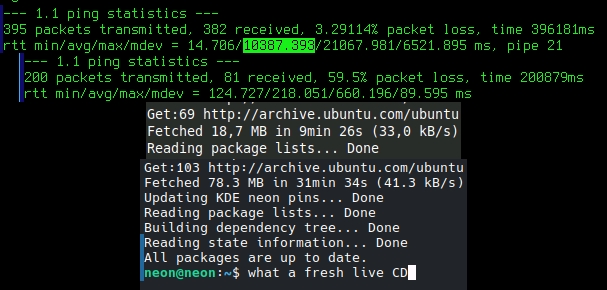
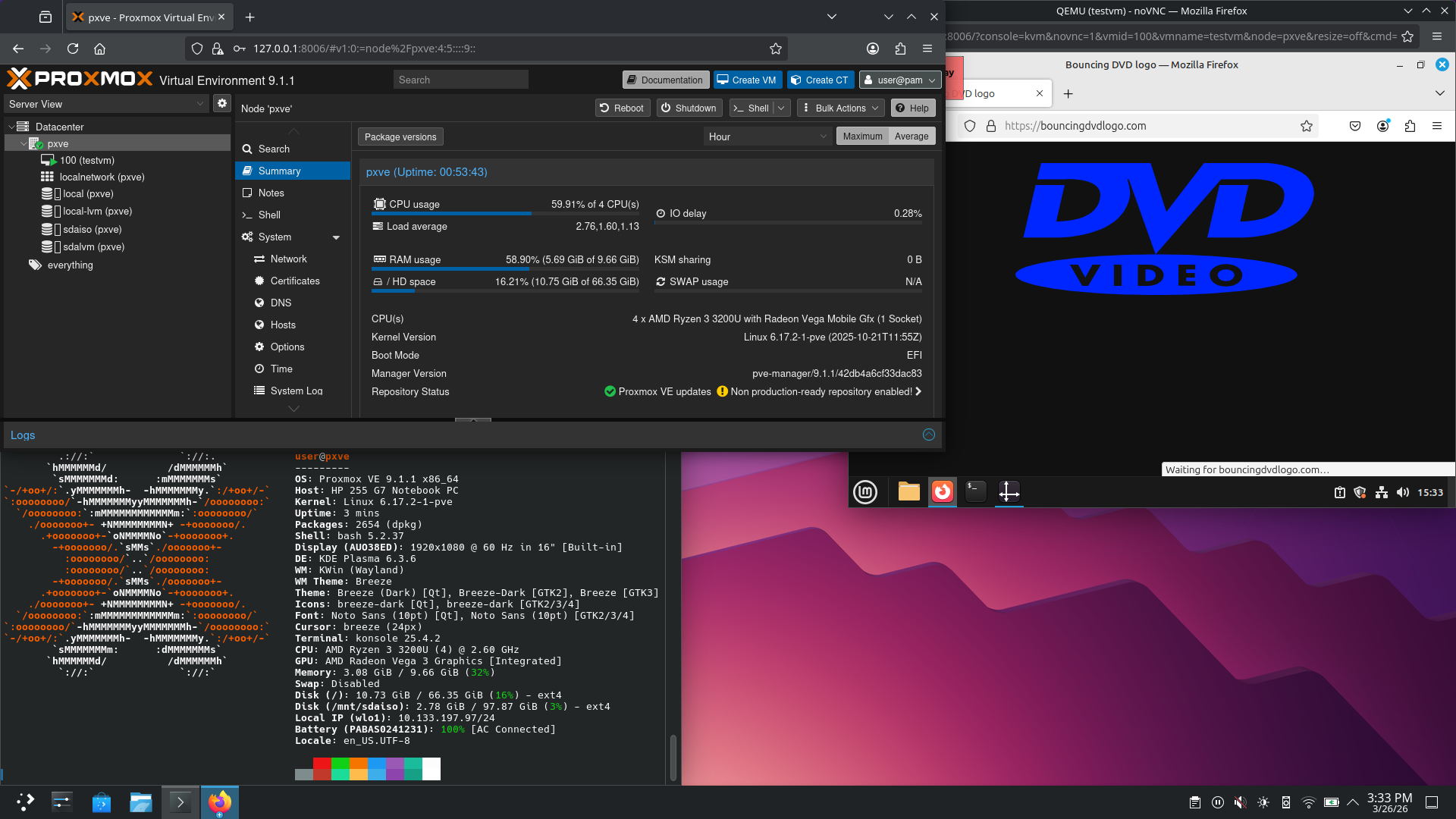
  • Same, but also for TrackPoint. I have the touchpad disabled. I don’t need to move my hand away from keyboard, I can endlessly scroll through pages at varying speeds just by finger pressure, and even cooler, I can scroll sideways just as easily. Oh, and I can also scroll both vertically and horizontally combined, to just easily navigate in the 2D space, pretty cool.
    Although I also use the touchscreen a lot. I don’t want a regular laptop anymore. Unfortunately the 360 ThinkPads seem a bit rare when trying to find a used one.

    Let me check what I could get if I tried to buy it new.
    ThinkPad L13. Intel Core Ultra 5 125U, 16GB LPDDR5, 512GB SSD, 1920x1200 IPS, WiFi 6E, plastic body. €1,398.76 with 3% student discount. That seems overpriced, at the very least for my use case.



  • I’ll just throw in one good thing for US outlets. The option of GFCI (Ground Fault Circuit Interrupter) outlets. I think it is required in bathrooms (or elsewhere 6 feet from water source), but you can probably install those anywhere you wish. It cuts off the power during a ground fault, which means that some current (more than regular leakage) is flowing to ground, perhaps through a human. It should cut off at just 5mA.
    There’s something similar in Europe, called RCD (Residual Current Device). It is the same thing, it’s just that in US it’s generally called GFCI and RCD in Europe. The difference with RCD is that it’s not in the outlets, but the breaker box, and generally protects the whole home. But you can also wire GFCI to multiple outlets. The problem is, that trip ground fault current for RCD can be up to 30mA as opposed to GFCI’s 5mA. And with 10mA and above, you may not be able to “let go” of the item shocking you, which isn’t nice even if it won’t yet kill you (probably).
    Why is that? Leakage current. That could very well exceed 5mA when you have stuff like a desktop PC, fridge and other stuff connected, resulting in unwanted tripping while everything functions just fine. It also means that perhaps, one day, your fridge may save you by preloading the RCD as it wouldn’t trip without it.

    OK, now something negative about (some) EU plugs.

    Type C:

    This should only work for devices that don’t require ground due to pin thickness. But you can still get it to make a terrible contact and hold it in. But perhaps you could even force it into some. I dislike this.

    Type F:

    Oh well. You can probably still force in older plugs that require ground pin yet don’t have the contacts for type F sockets like modern plugs. It is also reversible which I hate. Sockets should be polarized. You shouldn’t be allowed to just plug in the device other way around. If there is a switch, it definitely should disconnect live wire, not neutral leaving the device live but not functional. That’s unsafe. I hate this.

    Type E:

    This is nice. I like it. It would also be cool if there was a fuse inside the plugs cough cough UK plugs.