A secured app environment on a phone is plenty well secure for medical data. It is preferred strongly over a web based solution. Having a personal device running a company profile of security compliance monitoring and conditional access is as good as a company device provided by the hospital. They would do literally the same thing.
I think you’re making a lot of assumptions on how the setup is. It could be fine IF they configured everything correctly and are enforcing things on the work profile. Or, it could be terrible IF they just said “install this app, that’s it”.
Having a company provided device with poor guardrails would at least mean it’s not a device that the staff would do their personal stuff on, installing random apps. Having a company provided device with strong guardrails and fully locked down for this purpose would avoid most of the risk of an undiscovered vulnerability being abused. However well the work profile stuff is now separated in mobile OSs today, there can always be day 0s, and people will install any random apps on their phones or fall for plain social engineering.
Maybe technically right now they’re comparable for security, but their risk profile is different I think.
Imagine just targeting this place for phishing and creating a similar looking app with the same name, then sending fake communication to staff to say there is a new version and install it. They can just install it on their personal profile even if the work one doesn’t allow it and start putting data in it. In the case of a locked down work device they could just not install it. Also, there’s no reason for these devices to leave the grounds whereas personal devices will need to go out into the wild.
Maybe if you consider it a personal device if the staff has to relinquish all control of their entire personal device to the work provided security controls they can achieve a similar risk profile, but at that point it’s just a work device the staff had to pay for, not their personal device.
Please show me your masters in computer science and your decade of working with the devices. No? Then let me help you out.
It could be fine IF they configured everything correctly and are enforcing things on the work profile. Or, it could be terrible IF they just said “install this app, that’s it”.
That is true of ANY solution. If they violate this, then they are federally liable. Nothing about who owns the device changes this so it is a non-starter.
Having a company provided device with poor guardrails would at least mean it’s not a device that the staff would do their personal stuff on, installing random apps.
First, applications concerning healthcare data are going to operate in both encryption at rest and encryption in flight. They will isolate all data flow to just that app and its external managed connections. So what other things you have on the device from an App Store are irrelevant.
Having a company provided device with strong guardrails and fully locked down for this purpose would avoid most of the risk of an undiscovered vulnerability being abused.
I don’t think you understand ANYTHING about how security profiles are loaded onto a device. I will keep this to an explain like I am 5 level. None of what you just said is true. It does not matter who owns the device. If they are using it , for work, and work manages conditional access policies on the device, with security policies loaded, it will enforce ALL of the same things for monitoring data flows inside apps relevant to the workplace. It will enforce OS versions or kick your ability to authenticate. There is NOTHING that device ownership will change. Repeating this makes it very clear you have no idea what the fuck you are talking about.
However well the work profile stuff is now separated in mobile OSs today, there can always be day 0s, and people will install any random apps on their phones or fall for plain social engineering. Maybe technically right now they’re comparable for security, but their risk profile is different I think.
You think. Yes, you think, because you don’t do this for a living nor have the slightest clue what you are discussing. Again. Zero day exploits are going to be the same no matter who owns the device. They impact software under the same managed rules that exist regardless. It doesn’t change if it is a company device. Holy shit.
Imagine just targeting this place for phishing and creating a similar looking app with the same name, then sending fake communication to staff to say there is a new version and install it. They can just install it on their personal profile even if the work one doesn’t allow it and start putting data in it. In the case of a locked down work device they could just not install it. Also, there’s no reason for these devices to leave the grounds whereas personal devices will need to go out into the wild.
The reverberation speaking this much out of your ass must be immense. The whole point with a security profile is it limits these actions, and the security profile on the device is THE FUCKING SAME whether it is a device owned by you or the company. Once the employee has it configured correctly, the same in tune, same defender policies, the same OS management, the same everything could be used.
Maybe if you consider it a personal device if the staff has to relinquish all control of their entire personal device to the work provided security controls they can achieve a similar risk profile, but at that point it’s just a work device the staff had to pay for, not their personal device.
Jesus wept. You don’t relinquish control of he whole device. Unless you are working in a SCIF, your physical device is not going to have the type of controls on it that need to prevent any access to Bluetooth or WiFi. It will be only managed insofar as the profile for security requires it to be. That means you selectively block actions and abilities related only to the data within the app context and surrounding risk vectors. I’m typing this on a phone with a security profile on it for work. It serves as my Authenticator, has work application data, and doesn’t have to interfere with other personal use. You have a fundamental misunderstanding of how ANY of this works.
If you walked into Palo Alto today and sat down at the table with their engineering team, would you be telling them their firewall solution is flawed without knowing anything about it? I hope not. So why do that here?


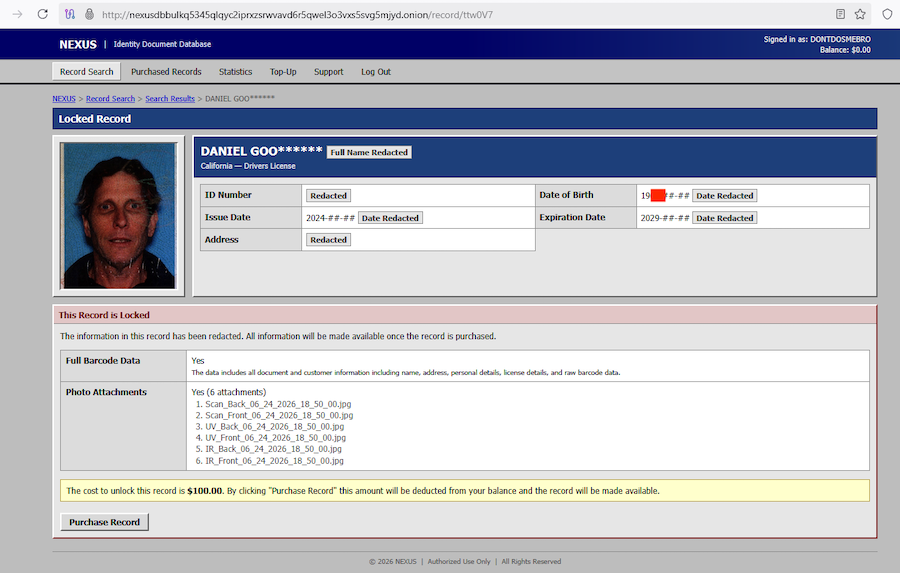
Work in IT, alongside info security. Nah.
A secured app environment on a phone is plenty well secure for medical data. It is preferred strongly over a web based solution. Having a personal device running a company profile of security compliance monitoring and conditional access is as good as a company device provided by the hospital. They would do literally the same thing.
I think you’re making a lot of assumptions on how the setup is. It could be fine IF they configured everything correctly and are enforcing things on the work profile. Or, it could be terrible IF they just said “install this app, that’s it”.
Having a company provided device with poor guardrails would at least mean it’s not a device that the staff would do their personal stuff on, installing random apps. Having a company provided device with strong guardrails and fully locked down for this purpose would avoid most of the risk of an undiscovered vulnerability being abused. However well the work profile stuff is now separated in mobile OSs today, there can always be day 0s, and people will install any random apps on their phones or fall for plain social engineering.
Maybe technically right now they’re comparable for security, but their risk profile is different I think.
Imagine just targeting this place for phishing and creating a similar looking app with the same name, then sending fake communication to staff to say there is a new version and install it. They can just install it on their personal profile even if the work one doesn’t allow it and start putting data in it. In the case of a locked down work device they could just not install it. Also, there’s no reason for these devices to leave the grounds whereas personal devices will need to go out into the wild.
Maybe if you consider it a personal device if the staff has to relinquish all control of their entire personal device to the work provided security controls they can achieve a similar risk profile, but at that point it’s just a work device the staff had to pay for, not their personal device.
Sigh
Please show me your masters in computer science and your decade of working with the devices. No? Then let me help you out.
That is true of ANY solution. If they violate this, then they are federally liable. Nothing about who owns the device changes this so it is a non-starter.
First, applications concerning healthcare data are going to operate in both encryption at rest and encryption in flight. They will isolate all data flow to just that app and its external managed connections. So what other things you have on the device from an App Store are irrelevant.
I don’t think you understand ANYTHING about how security profiles are loaded onto a device. I will keep this to an explain like I am 5 level. None of what you just said is true. It does not matter who owns the device. If they are using it , for work, and work manages conditional access policies on the device, with security policies loaded, it will enforce ALL of the same things for monitoring data flows inside apps relevant to the workplace. It will enforce OS versions or kick your ability to authenticate. There is NOTHING that device ownership will change. Repeating this makes it very clear you have no idea what the fuck you are talking about.
You think. Yes, you think, because you don’t do this for a living nor have the slightest clue what you are discussing. Again. Zero day exploits are going to be the same no matter who owns the device. They impact software under the same managed rules that exist regardless. It doesn’t change if it is a company device. Holy shit.
The reverberation speaking this much out of your ass must be immense. The whole point with a security profile is it limits these actions, and the security profile on the device is THE FUCKING SAME whether it is a device owned by you or the company. Once the employee has it configured correctly, the same in tune, same defender policies, the same OS management, the same everything could be used.
Jesus wept. You don’t relinquish control of he whole device. Unless you are working in a SCIF, your physical device is not going to have the type of controls on it that need to prevent any access to Bluetooth or WiFi. It will be only managed insofar as the profile for security requires it to be. That means you selectively block actions and abilities related only to the data within the app context and surrounding risk vectors. I’m typing this on a phone with a security profile on it for work. It serves as my Authenticator, has work application data, and doesn’t have to interfere with other personal use. You have a fundamental misunderstanding of how ANY of this works.
If you walked into Palo Alto today and sat down at the table with their engineering team, would you be telling them their firewall solution is flawed without knowing anything about it? I hope not. So why do that here?